Troubleshooting
This page covers connection and sign-in problems that can happen with any SolarSENS MCP client. Each entry shows what you see, why it happens, and what to do.
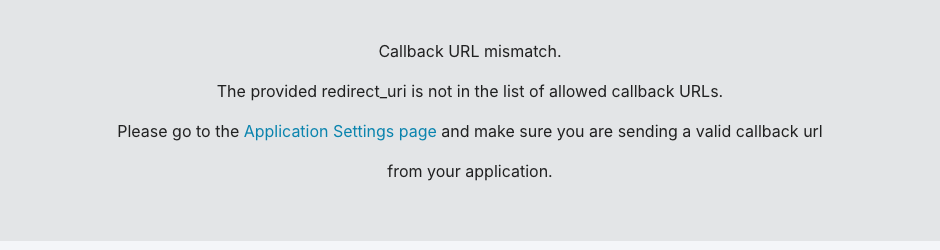
Callback URL mismatch
What you see: During sign-in, Auth0 shows a callback URL mismatch error instead of the sign-in form.
Why: Some clients use one fixed, pre-registered Auth0 application with a
fixed list of allowed callback URLs. The error happens when that client sends
a redirect_uri that is not on the list.
What to do: Use a client that supports Dynamic Client Registration (DCR).
DCR clients, including OpenCode and Claude Code, register their own
redirect_uri automatically and do not hit this error. If your client only
supports a fixed client ID, ask your administrator to confirm the exact
callback URL your client uses is on the allowed list.
Client is not authorized to access resource server "solarsens:mcp"
What you see: Sign-in completes, but a tool call fails with an
authorization error naming the resource server solarsens:mcp and a client
ID that starts with tpc_.
Why: A client that registers itself through DCR becomes a third-party
application in Auth0, with a client ID that starts with tpc_. Auth0 requires
an explicit default permission grant before any third-party application can
get an access token for an API, no matter how that API's general access
policy is set. Until an administrator grants that permission, every newly
self-registered client is unauthorized, even though sign-in itself succeeded.
What to do: This is not something you can fix from the client. Ask your
administrator to check the default permissions for third-party applications
on the solarsens:mcp API. See the Auth0 setup runbook in the repository
(docs/auth0-setup.md) for the exact steps; this is an operator action, not
a user action.
Cloudflare Error 1010
What you see: A Cloudflare "Error 1010" page instead of a normal response, when calling the MCP endpoint directly with a script instead of through a chat client.
Why: Cloudflare blocks requests whose HTTP client signature matches a
known bot pattern. Some HTTP libraries send a default User-Agent header
that matches this pattern; for example, Python's urllib default
User-Agent is blocked with Error 1010. This check runs before
authentication, so it can block a request even before Auth0 is involved. Not
every non-browser client is affected: a plain curl request or a Node.js
script with its default User-Agent reaches the server normally and gets the
expected 401 Missing Authorization header response when unauthenticated.
What to do: Set a descriptive User-Agent header on direct requests, or
make the call through an MCP client (Claude Desktop, Claude Code, ChatGPT,
OpenCode, or MCP Inspector) instead of a bare script.

OpenCode: "Failed to start server. Is port 19876 in use?"
What you see: opencode mcp auth solarsens fails with a message asking
whether port 19876 is already in use.
Why: OpenCode's OAuth sign-in briefly starts a local loopback server on
port 19876 by default to receive the browser redirect. On some OpenCode 2.x
versions, this fails if opencode serve --service is already running and
holding that port.
What to do: Use either fix:
- Set
oauth.callback_portto a free port (for example19877) in thesolarsensentry of youropencode.jsonv2 configuration, then runopencode mcp auth solarsensagain. - Or stop the
opencode serve --serviceprocess, runopencode mcp auth solarsens, then restart the service afterward if you need it.
"Dynamic client registration is disabled"
What you see: The client reports that dynamic client registration is disabled instead of opening a sign-in page.
Why: The client tried to self-register with Auth0's registration endpoint, but DCR is turned off for the tenant it reached, or the client is using a saved configuration from before DCR was available.
What to do: Ask your administrator for a pre-registered client ID, then use your client's manual OAuth configuration option instead of automatic sign-in. For OpenCode, see the fallback configuration in Connect OpenCode.
The sign-in prompt appears again after a server-side change
What you see: A client that was already signed in suddenly asks you to sign in again, with no other error.
Why: OAuth clients check every stored token's issuer against the server's current metadata and discard tokens that no longer match. This is a safety check, and it triggers whenever the MCP server's issuer identity changes on the server side, for example after certain deployments.
What to do: Sign in again once. This is expected after a server-side change and does not mean your account or access changed. Approve the sign-in as usual.